
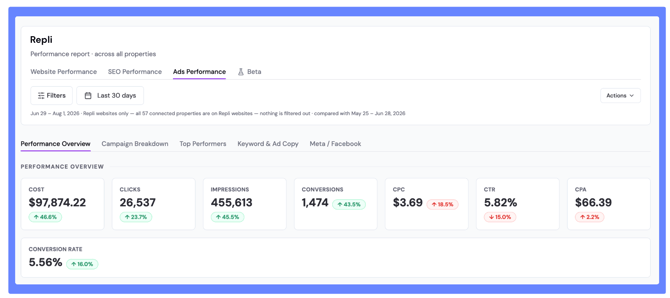
The five reports.
1. Performance Overview — what did Google Ads spend buy this period?
Top-level accounting: spend in, results out. Start here to establish whether the period was efficient before you go looking for the reason. This is also the view to have open when someone asks what they're getting for the budget.
2. Campaign Breakdown — which campaigns are absorbing the budget, and where is it expensive?
Spend and efficiency by campaign. The report that finds the campaign quietly eating a third of the budget at twice the cost of everything else. Use it when the overview looks worse than expected and you need to know which campaign to blame.
3. Top Performers — what is working best right now?
The inverse view: your strongest performers surfaced directly, so you can scale what's already earning rather than only trimming what isn't. Useful when you have budget to move and need somewhere to put it.
4. Keyword & Ad Copy — inside Search, which terms and which creative are working
Search-specific, one level deeper than campaigns. Which keywords are converting versus just spending, and which ad copy is actually earning clicks. This is where optimization decisions get made — pausing terms, reallocating, rewriting creative that isn't landing.
5. Meta / Facebook — what is Meta advertising spending, reaching, and generating?
Meta performance in its own report, since the metrics and buying model differ from Search. Covers spend, reach, and results so you can weigh social against search rather than treating them as one pool.